
Software evaluation · Replacement readiness
When Should You Replace Your Existing Study Library Software?
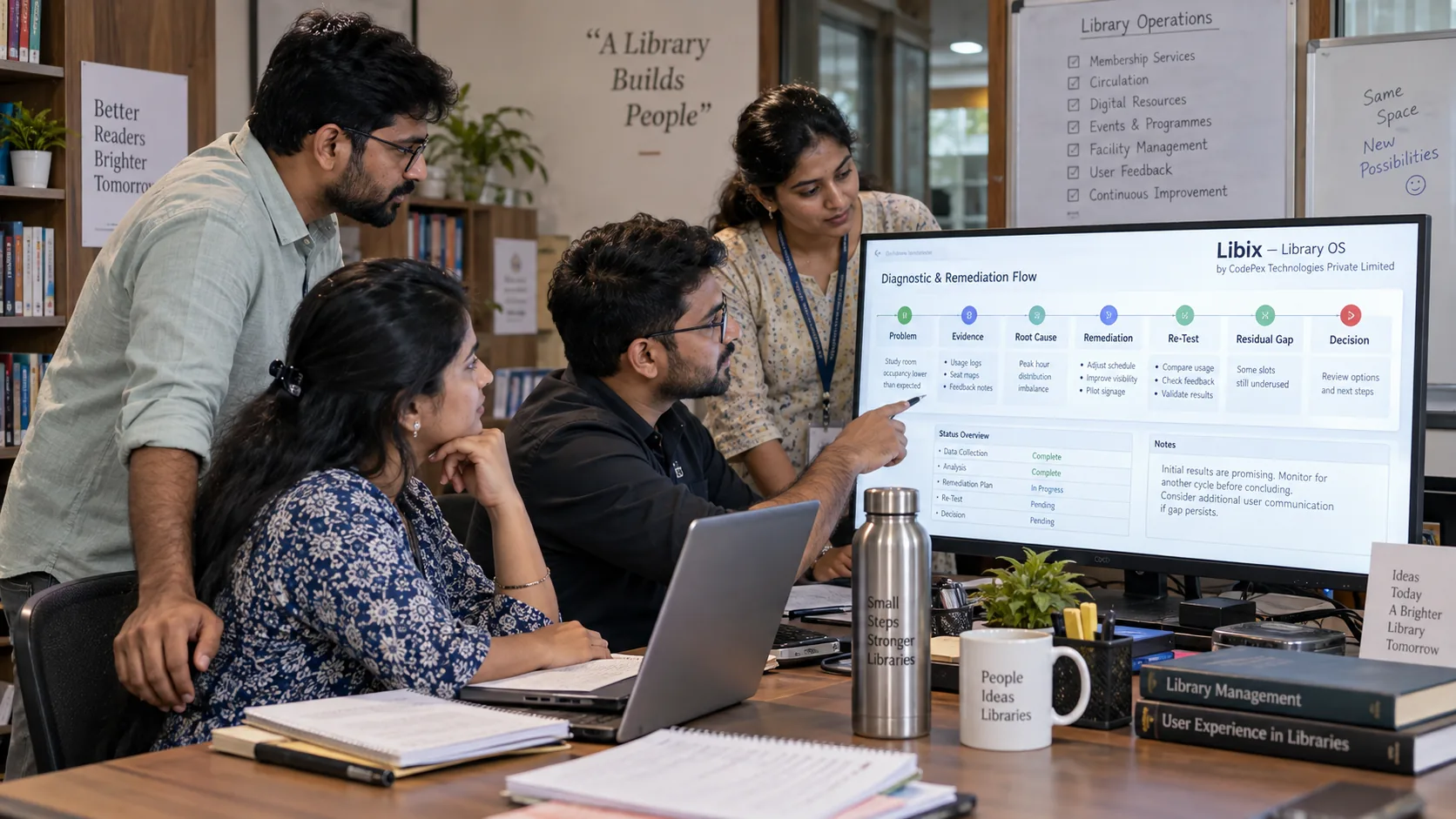
Diagnose the current system, separate product gaps from configuration and process problems, evaluate remediation, and approve replacement only when the evidence supports it.

Quick answer
Consider replacing existing study-library software when material business requirements or controls remain inadequately served after reasonable remediation has been evaluated, and when the expected value of changing systems justifies migration cost and risk. Do not replace merely because the software is old, looks dated, has one missing feature, frustrates one user or experienced one outage.
Evidence
Capture what actually happened
Root cause
Separate configuration, people, process and product
Residual gap
Re-test after reasonable remediation
Decision
Keep, fix, upgrade, integrate, remediate or replace
Replacement is a business decision, not a frustration response
Changing software can affect members, memberships, seats, shifts, attendance, invoices, payments, receipts, dues, refunds, lockers, staff, communication, reports and branches. The question is not “Do I dislike it?” but “Does it still support the business reliably enough, and can material gaps be corrected at acceptable cost and risk?”
Establish the current-system baseline
Record the current product or service, deployment model, branches, active users, major workflows, integrations, stored data, export options, costs, support arrangement, customizations, workarounds and unresolved issues. Build a problem register with date, affected workflow, frequency, evidence, business impact, criticality, workaround effort, suspected root cause, vendor reference and status.
Classify the problem before blaming the product
Check whether the capability exists, is enabled, configured correctly, permitted for the user and supported by a defined process. Do not buy a new system to solve an undefined workflow.
Separate critical requirements from preferences
Incorrect financial records, data-integrity problems, unsafe access or essential continuity concerns deserve a different response from a cosmetic inconvenience. Classify issues as Critical, Important or Preference, then consider frequency, impact, workaround burden, risk and credible remediation.
Potential material replacement triggers
Data integrity
Repeated inability to preserve or reconcile important member, membership, allocation or financial history after root-cause checks.
Security and access
Material control gaps that remain after configuration, permission and maintenance review; security concern is not automatically proof of a breach.
Reliability
A recurring, evidenced incident pattern affecting essential work after local infrastructure and recovery causes are considered.
Growth and branches
Future requirements for branch scope, records, reporting or workflows remain materially unsupported after realistic alternatives are tested.
Portability
Required data cannot be preserved or exported adequately, and the gap creates unacceptable continuity or migration risk.
Support and maintenance
Repeated severe issues lack credible, time-bounded remediation; one delayed reply is not automatically a replacement case.
Evaluate alternatives before replacement
KEEP
No material residual replacement case identified.
RECONFIGURE
Capability exists but setup, permissions or settings need correction.
RETRAIN / FIX PROCESS
People, ownership or workflow discipline is the primary issue.
UPGRADE / ADD MODULE
A supported product path may resolve the material gap.
INTEGRATE / SUPPLEMENT
A bounded complementary capability may be sufficient.
REMEDIATE WITH VENDOR
A credible, time-bounded fix should be tested.
REPLACE
Material residual gaps remain after reasonable evaluation.
URGENT RISK REVIEW
Severe entered risk needs specialist or management attention.
Upgrade, customization, integration, vendor remediation, retraining and process correction can each be reasonable. Compare ownership, supportability, maintenance, risk and residual gap—not only immediate convenience.
Replacement readiness is not migration readiness
Replacement readiness means the decision information exists to approve or formally evaluate a change. Migration readiness additionally requires data, mappings, validation, people, procedures, cutover controls and contingencies. Do not cancel old access merely because replacement is approved.
Where Libix fits
Apply the same evidence standard
Libix—Library OS should be evaluated like any other candidate: against documented requirements, real workflows, exceptions, data preservation, permissions, reports, support, cost, implementation and migration risk. Current product capabilities and commercial terms must be verified against approved repository and product documentation. This page does not recommend an automatic switch.
Replacement decision lab
Diagnose before deciding
This diagnostic organizes evidence. It does not rank vendors, score replacement readiness, identify a vendor as unsafe or recommend Libix automatically.
Current-system baseline
Problem register row
Decision output
Insufficient evidence
Interpret as a prompt for investigation, not an automated replacement verdict. A preference-level issue alone cannot justify replacement.
Replacement readiness
Next handoff: preserve/export data, define requirements, evaluate candidates, test real workflows and exceptions, estimate cost/risk, prepare migration, validate migrated data and approve cutover. Replacement readiness is not migration readiness.
Frequently asked questions
When should I replace study-library software?
Consider replacement when material business requirements, controls, reliability, data, security, support or growth needs remain inadequately served after reasonable remediation has been evaluated and the change cost and risk are justified.
Should I replace software because it is old?
Not automatically. Age, dated appearance, one missing feature or one outage is not enough by itself. Evaluate evidence, business impact, criticality, residual gap and future fit.
How do I distinguish configuration from product failure?
Check whether the capability exists, is enabled, configured correctly, permitted for the user and supported by a defined process. A configuration or training issue should not automatically trigger replacement.
Is replacement readiness the same as migration readiness?
No. Replacement readiness supports the decision to evaluate or approve a change. Migration readiness also requires data, mappings, people, procedures, cutover controls and contingencies.
Should I cancel the old software after approving replacement?
No. Preserve data, review contractual exit conditions, define the new requirements, test the candidate and plan migration before decommissioning access.
Should I replace my software with Libix?
Libix should pass the same evidence-based requirements, workflow, exception, data, cost, support and migration evaluation as any candidate. This page does not make an automatic recommendation.