
Software Evaluation · System migration · Cutover guide
How to Migrate from One Study Library Software to Another
Move operational data and history between software systems without treating CSV as a complete database, losing source access or creating duplicate transactions during cutover.
Quick answer
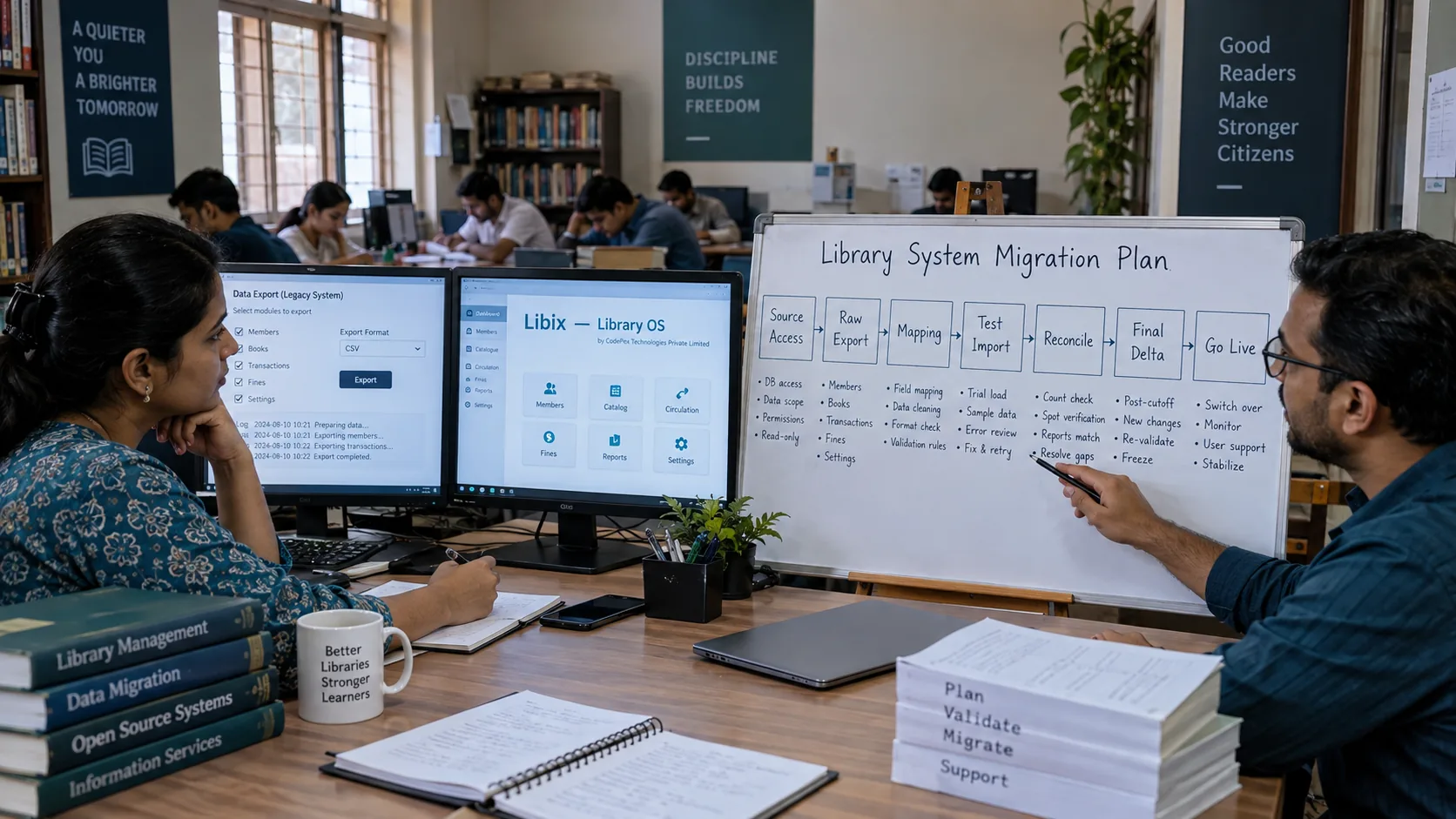
Confirm the replacement decision, define scope, secure exit access, inventory exports, preserve an immutable raw snapshot, test completeness, profile the source, define the target model, map entities, identifiers, relationships and statuses, define history and financial strategies, transform working copies, validate, test-import, resolve exceptions, reconcile counts, relationships, financial position and historical samples, run UAT, control cutover, capture the final delta, final-export/import, reconcile again, approve go-live, restrict legacy writes and decommission only under an approved exit plan.
Approve replacement
Secure exit access
Export raw snapshot
Preserve evidence
Profile
Map semantics
Transform
Test import
Resolve exceptions
Reconcile
UAT
Cutover
Final delta
Go live
Read-only legacy
Digital-to-digital does not mean equivalent-to-equivalent. Same field name does not prove same meaning, and an accepted import does not prove a correct migration.
Why software-to-software migration is different
The old system may store one current membership row, current seat, payment total, status and receipt PDF. The target may need member, membership, lifecycle events, allocation periods, charge, payment, allocation, receipt metadata and refund/reversal events. The systems may both be digital while representing entirely different business concepts.
Backup
Not export
CSV export
Not complete relational history
API access
Not complete export by definition
Report download
Not raw data export
Member
Not membership
Payment
Not allocation or receipt
Current seat
Not allocation history
Import success
Not migration success
Start after the replacement decision
This guide assumes replacement has passed an appropriate evaluation. If the question is whether replacement is justified, complete a documented software evaluation first. Do not begin a destructive migration because the existing interface feels old or inconvenient.
Define migration scope
List the domains and choose full history, partial history, current/opening state, document/archive only, exclude, unavailable or review for each. Do not assume every old record must become an active target transaction.
Secure source access before exit
Record account access end date, export availability, API access, attachment download, report access, read-only access after cancellation, backup or database options, exit assistance, support contacts and authentication/MFA dependencies. Capture evidence while access exists. Contract end date is not automatically a safe decommission date.
Access
Know who can export, which filters apply, what ends at cancellation and how authentication works.
Exit
Check support, contracts and read-only options before the source account expires.
Evidence
Record timestamps, scope, user, method, filenames, counts and source version where known.
Inventory export mechanisms and preserve the raw snapshot
Possible methods include CSV/XLSX, JSON/XML, API, database dump, attachment archive, report export, vendor-assisted extraction and manual export. Each carries different semantics. Preserve the first approved extraction without editing it; use working copies for profiling and transformation. Record filters, branch/tenant scope, export method, file counts and any query/version.
| Method | Question | Caution |
|---|---|---|
| CSV / XLSX | Which entities and columns are included? | May omit relationships or history. |
| API | Which endpoints, filters and pages are complete? | Access does not prove complete export. |
| Database dump | Can it be interpreted and legally used? | Not automatically usable migration data. |
| Report / PDF | What evidence does the report represent? | Not raw structured records. |
| Attachments | Are files, IDs and relationships retained? | File path is not exported file. |
Test export completeness
Check active and inactive records, internal IDs, timestamps, membership history, branch references, seat history, attendance, charges, payments, allocations, refunds, receipts, attachments, audit logs and custom fields. An export labelled “Members” may contain only current records. Classify each area as confirmed, partial, unavailable or unknown and document the impact.
Define the target model and preserve legacy IDs
Map business meaning, not table shape. Preserve legacy IDs as source references for reconciliation, support and attachments, but do not make them target primary keys by default. Map member to membership, membership to plan, allocation to seat, attendance to identity and context, charge to obligation, payment to payer and allocation, receipt to transaction context, refund to original transaction, user to staff where applicable and every record to branch.
Define history, financial and attachment strategies
Full structured history, partial history, current/opening state, read-only archive, unavailable and manual review are all valid outcomes. Do not invent renewals, seat allocation periods, attendance events, invoices, payment dates, receipt numbers, refund links or audit events when the source does not evidence them.
Financial semantics
Payment is not invoice, receipt or allocation. Preserve amount, date/time, mode, reference, payer, receipt, branch, status and refund linkage where valid.
Attachments
Inventory files, preserve filename and source ID, map them to target entities and record unavailable files as gaps.
Audit and activity
Legacy audit may remain archive evidence. Do not create fake target audit events to make history appear complete.
Map members, memberships, operations and finance
Do not merge by name. Current plan is not renewal history; current seat is not allocation history; attendance summary is not event history. Map shifts by meaning and timing, branches explicitly, lockers as resource and assignment, users separately from staff, roles separately from permission sets, and payment allocations to their obligations.
Document source gaps
If normal export is unavailable, classify what remains possible: API extraction, vendor assistance, report/PDF evidence, database backup, manual extraction or genuinely unavailable. Document impact and workaround. Do not present missing data as migrated data.
Write a transformation specification
Version the specification. For each source dataset and field record source semantics, target entity/field, transformation, crosswalk, approved default if any, validation, exception behavior, test case, owner and approver. Invalid IDs, dates, amounts, statuses, references, branch scope, membership periods, seat overlaps, payment/refund logic and file references become exceptions; never silently discard them.
Run test migrations and manage exceptions
Use an isolated or test environment where feasible. Test normal records, historical records, expired/cancelled memberships, dues, refunds, seat changes, branches, attachments and users/permissions. Correct rules and repeat. Every exception needs source entity/ID, problem, severity, evidence, resolution, approver, target outcome and status.

Reconcile counts, relationships, finances and samples
Account for in-scope records as migrated, archive-only, excluded with reason or unresolved. Reconcile memberships, allocations, attendance, charges, payments, allocations, refunds and attachments. Financial reconciliation requires an as-of point and semantically comparable values. Trace samples from source to raw export to transformation to target. Count match is not semantic correctness.
Reconcile
Count
Reconcile
Relationship
Reconcile
Financial
Reconcile
Historical sample
Run UAT with migrated data
Test member search, renewal, seat change, shift, attendance, payment, receipt, dues, refund/reversal where supported, locker, reports, permissions and branch access. Business acceptance is an owner decision, not a developer import status.
Control cutover and capture the final delta
Define date/time, source freeze or delta method, final export, transformation/import, reconciliation, go/no-go authority, rollback, communication and support. Capture new members, renewals, payments, refunds, attendance, seat changes, locker changes and other updates after the test migration. Account for each event once to prevent duplicate imports.
Final delta
The changes that happened after the dry-run extraction and before cutover.
Duplicate prevention
Do not run uncontrolled writes in both systems. Use source references and explicit final-delta status.
Final import
Repeat counts, relationships, finances, exceptions, samples and critical workflows before approval.
Define rollback, go-live and legacy read-only access
Rollback triggers may include import failure, financial or relationship failure, missing attachments, permission failure, target outage or critical workflow failure. The target becomes the source of truth only after formal approval. Restrict legacy writes and monitor first transactions. Read-only legacy access can aid verification, but it is not permanent dual operation.
Decommission only under an approved exit plan
Before decommissioning, preserve required exports, raw manifests, attachments, final reconciliation and go-live approval; check applicable contract and policy obligations; address credentials and integrations; and document the archive plan. Do not assume cancellation completes migration or that a universal retention period applies.
Build the migration evidence pack
Use the software-to-software migration planner
Organize domain scope, source access, export completeness, mappings, legacy IDs, reconciliation, final delta and cutover readiness without uploading real system data.
Client-side migration planner
Plan a controlled software-to-software transition
Use counts and concepts only. Do not upload exports, enter credentials, member PII, payment details or real legacy IDs. There is no vendor ranking or readiness percentage.
1. Migration scope
2. Exit access checklist
3. Export completeness
Report download is not automatically raw export. Backup is not export. A database dump is not automatically an immediately usable migration dataset.
4. Source-to-target mapping
5. Legacy ID register
Legacy IDs support reconciliation, support and attachment linking; they are not automatically target primary keys.
6. Reconciliation accounting
Also reconcile relationships, semantically comparable financial values and historical samples.
7. Final delta register
Account each event once. Final delta prevents duplicate activity between source and target.
8. Cutover readiness
Educational planning only. No backend, persistence, credentials, uploads, PII, vendor ranking, legal determination or migration guarantee is used.
Where Libix fits
Verify the current migration path
Libix — Library OS is intended for private study libraries, reading rooms and related self-study operations from CodePex Technologies Private Limited. Before making a system-to-system migration commitment, verify current supported formats, entities, bulk import, validation, duplicate handling, error reporting, re-run controls, member and membership history, allocations, finances, attachments, permissions, branches, APIs and migration-service terms from authoritative current documentation. Implemented, planned and architectural capabilities are not interchangeable.
The migration principle
Software replacement is controlled transition. Secure the exit, preserve raw evidence, map meaning and relationships, make history gaps explicit, test repeatedly, reconcile business truth, control the final delta, approve go-live and decommission only after the new system is accepted and the legacy evidence is safely preserved.
Frequently asked questions
How do I migrate from one study-library software system to another?
Approve the replacement, secure source access, define scope, export raw data before cancellation, preserve an immutable snapshot, profile and map semantics, test transformations/imports, reconcile counts and meaning, run UAT, control cutover, capture the final delta, reconcile again and keep legacy access read-only until exit obligations are satisfied.
Is CSV enough for software migration?
Not automatically. CSV may omit relationships, history, attachments, IDs, audit data, allocation and financial semantics. Test completeness against your scope and preserve the raw export.
Should I cancel the old software before migrating?
No. Secure exports, attachments, source documentation, read-only access and any support or exit assistance before cancellation or access expiry.
Can current membership and balance data become complete history?
No. Current state and opening balances are valid strategies when approved, but they do not prove historical renewals, transactions, allocations or audit events.
How should payment allocations be migrated?
Preserve the relationship between payment, payer/member, obligation, allocation, receipt, branch, status and refund/reversal where the source evidences it. Missing allocation is an exception, not a reason to guess.
Should both systems run permanently?
No. A short controlled validation period may be useful, but read-only legacy access is not permanent dual operation. Define the new source of truth and stop uncontrolled duplicate entry after approval.
When can the old system be decommissioned?
Only after acceptance, final reconciliation, preserved exports and attachments, resolved exit obligations, credential/integration handling and an approved legacy/archive plan. Contract end date is not automatically a safe decommission date.
Can Libix import data from another system?
Verify current Libix formats, templates, entities, validation, duplicate handling, error reporting, re-run controls, migration utilities and service terms from authoritative current documentation before making a product-specific commitment.