
Software Evaluation · Digitisation · Paper cutover
How to Migrate from Manual Registers to Study Library Software
Convert trustworthy paper evidence into a controlled digital starting state without guessing, silently rewriting history or destroying the source trail.
Quick answer
Moving from manual registers to software is a digitisation, interpretation and reconciliation project. Inventory physical sources, preserve them, assign source IDs, decide what each register proves, define digital entities and canonical IDs, create transcription templates, set interpretation rules, prioritize active and critical records, transcribe, flag uncertainty, verify critical fields, resolve conflicts from evidence, create or import records, reconcile counts, relationships and financial position, user-test, define paper cutover, capture the final paper delta, approve go-live and preserve legacy evidence.
Inventory paper
Preserve sources
Assign IDs
Define authority
Model entities
Create template
Transcribe
Verify
Resolve exceptions
Reconcile
UAT
Paper cutover
Final delta
Go live
Monitor
Do not guess. Use explicit states such as verified, partially verified, unresolved, illegible, archive only or opening state.
Why paper migration differs from Excel migration
Excel provides machine-readable cells, even when their meaning is unclear. Paper adds handwriting, ticks, crossed-out entries, overwritten numbers, margin notes, different inks, loose receipts, missing pages and inconsistent serials. The transition is therefore Paper Evidence → Controlled Digital Transcription → Structured Software Record. Both transformations need controls.
Paper register
Not a database
Register row
Not a member by definition
Admission entry
Not active membership
Seat number
Not allocation history
Amount written
Not payment by definition
Receipt book
Not complete ledger
Running balance
Not transaction history
Transcription
Not verification
Count match
Not semantic correctness
Opening state
Not complete history
Define scope and prioritize what matters
Do not begin with “digitise everything.” Decide for each source whether it will be transcribed as structured data, used for current/opening state, scanned or archived, excluded with reason, manually reviewed or left unresolved. Prioritize what is necessary to operate safely after go-live: active members, current memberships, seats and shifts, current dues, current lockers and critical staff access.
Enquiry notebook
Admission register
Member register
Membership / renewal book
Fee register
Receipt book
Dues register
Attendance register
Seat / shift chart
Locker register
Staff register
Documents / notes
Inventory physical sources, assign IDs and establish custody
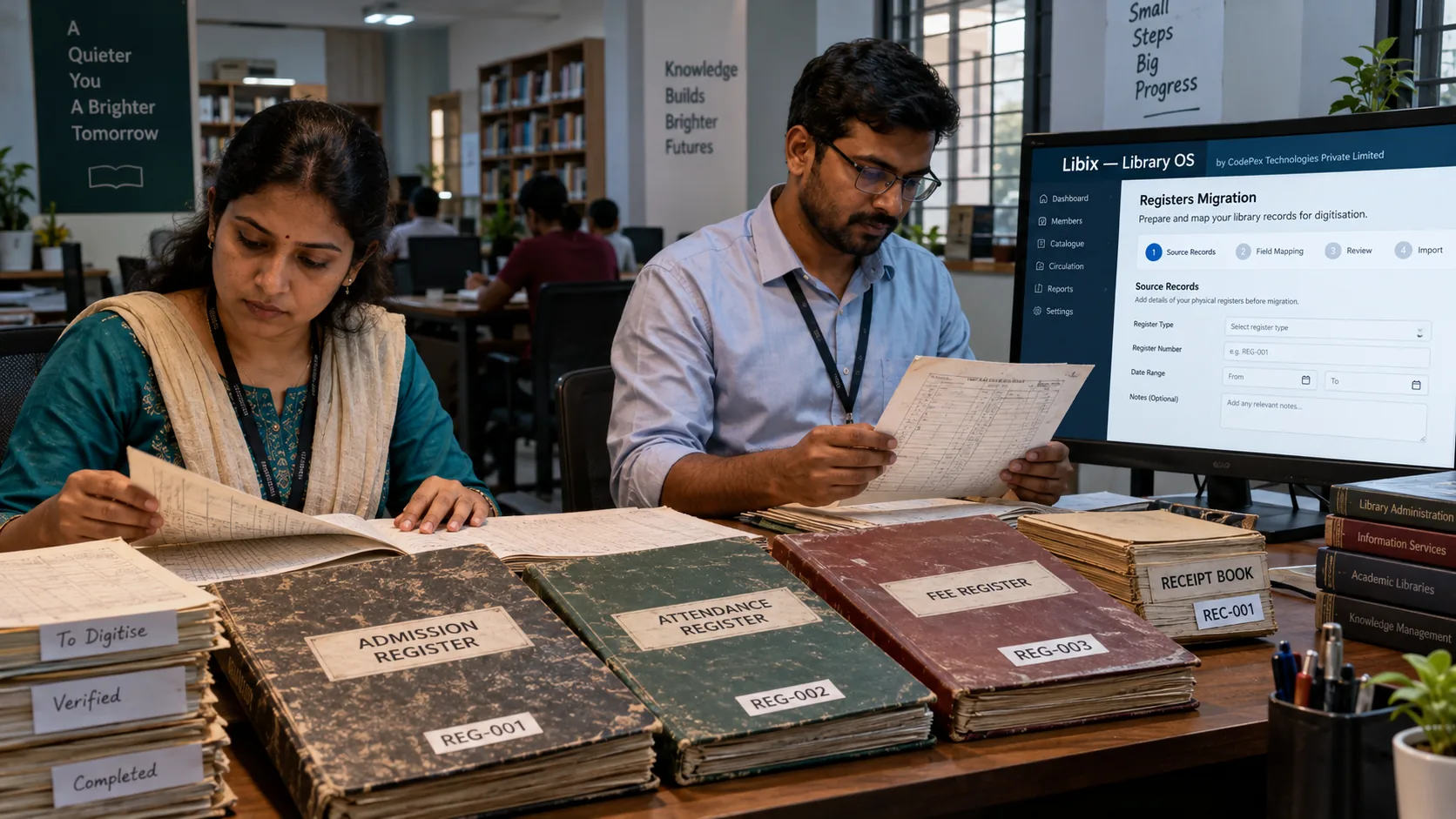
Record source ID, source type, period, branch, physical location, condition, approximate entries and migration action. Preserve page order and, where practical, page/entry provenance such as `REG-001 / Page 42 / Entry 17`. This reference supports evidence tracing; it is not the new member ID.
| Source ID | Source type | Record | Migration action |
|---|---|---|---|
| REG-001 | Member register | Branch / period / condition | Transcribe or review |
| REC-001 | Receipt book | Missing pages / serials | Critical verification |
| ATT-001 | Attendance | Mark semantics / period | Archive or assess |
Control who holds, scans and transcribes each source, where images are stored, who can access sensitive records and when the physical register is returned. A paper backup is not a digital backup.
Define target entities and canonical identifiers
Do not recreate the register structure blindly. Separate member identity, admission, plan, membership, seat, zone, allocation, shift, attendance, charge, payment, receipt, dues, refund, locker and staff/user concepts. Preserve old serial numbers as source references; do not treat a receipt number as a payment ID or a register page as an entity ID.
Create a controlled transcription template
Include source ID, page/entry reference, source value, normalized value where appropriate, target entity, status/confidence, transcriber, verifier, exception ID and approval. Apply interpretation rules before large-scale work: blank is not automatically zero, crossed-out is not automatic deletion, ditto marks need a rule, unclear digits remain unresolved and incomplete dates are not invented.
Transcribe, verify and resolve uncertainty
Transcribe faithfully, apply only approved normalization and flag illegible, partially readable, conflicting and missing entries. Use a second person for critical fields where appropriate: identity, contact, membership dates, seat, shift, dues, payment amounts, receipt numbers and lockers. Transcription is not verification; verification is not proof that missing history exists.
| Status | Meaning | Action |
|---|---|---|
| Verified | Readable and corroborated where needed | Create or import with provenance |
| Partially verified | Some fields reliable, others bounded | Preserve status and review boundary |
| Illegible | Cannot read safely | Preserve image/reference; do not guess |
| Conflicting | Sources disagree | Register evidence and approver |
| Unresolved | No sufficient decision yet | Do not hide or silently exclude |
Match identities without guessing
Same name is not the same person. Same phone is not proof by definition. Compare multiple signals such as spelling, contact, guardian context, address, source period, plan, seat and receipt references. Use confirmed, probable, ambiguous and distinct states. Ambiguous identity requires review; do not merge records to improve counts.
Map memberships, seats, attendance and finance
Separate admissions from active membership, plans from memberships, seats from allocation history and shifts from assignment history. A detailed attendance mark may be transcribed if its meaning is reliable; a monthly total cannot become daily events. A fee written is not automatically an invoice; an amount written is not automatically a payment; a receipt book is not a complete ledger.
Current state
Current member, membership, seat, shift, locker or dues position may be migrated as opening state with an as-of date and approval.
History
Migrate historical events only when source evidence supports their date, identity, amount and meaning.
Financial control
Receipt number, date, amount, payer/member link, payment mode and cancellation/correction must be captured only when evidenced.
OCR is an aid, not an authority
OCR may help create a first transcription of clear printed or handwritten material, but output requires human verification. Do not claim universal OCR accuracy, turn uncertain OCR into financial records automatically or treat a scan as structured data. Flag uncertain fields and preserve the source reference.
Choose a historical strategy
Use full structured history only where the source provides reliable event evidence. Partial history, current/opening state, archive-only and unresolved are legitimate outcomes. Do not invent renewal events from a current expiry date, attendance dates from a total, payment dates from a total paid amount, refund events from crossed-out text or audit events from handwritten corrections.
Validate, pilot and reconcile
Validate required fields, identifiers, dates, amounts, source references, duplicate candidates, plan mappings, seat mappings, shift mappings, branch mappings, status logic and opening financial position. Pilot normal records, renewal, dues, seat, shift, payment/receipt, ambiguity and historical/inactive cases before mass transcription. Record exceptions with source/page, entity, issue, evidence, proposed resolution, approver, final decision and status.

Plan paper cutover and final delta
Define the cutover date and time, who may write legacy registers, final-delta method, go/no-go authority, contingency and staff communication. Capture admissions, renewals, payments, attendance, seat, locker and refund/correction changes after the pilot or transcription snapshot. Account for each event once. Do not allow source-of-truth ambiguity.
Before go-live
Critical current records, exceptions, current dues, seats/shifts, UAT and contingency are approved.
Final delta
Record transactions that occurred after the main transcription point and reconcile them separately.
After approval
Software becomes the source of truth; stop uncontrolled permanent parallel paper entry.
Define rollback, contingency and legacy handling
Define what happens if critical data is wrong, financial reconciliation fails, the target is unavailable or an essential workflow fails. Do not destroy the fallback before acceptance. After go-live, retain legacy paper and provenance under an appropriate policy; scanning does not automatically authorize destruction, and no universal retention period should be assumed.
Build the migration evidence pack
Use the paper-to-software migration planner
Organize sources, authority, transcription, critical verification, history strategy, reconciliation and paper cutover without uploading personal records.
Client-side digitisation planner
Plan paper-to-software migration without uploading records
This tool tracks source provenance, transcription, verification, history decisions, reconciliation and cutover checks. It does not request register images, names, phone numbers, payment details or OCR uploads.
1. Physical source inventory
Preserve source ID, page/entry reference, condition, missing pages and custody. Page number is provenance, not a durable member ID.
2. Source authority
Authority can vary by field. Do not select a convenient register without documenting why it proves the field.
3. Count-only transcription control
A count match is not semantic correctness. Keep source/page references and unresolved evidence.
4. Critical-field verification
Transcription is not verification. Verification is not proof that missing history exists.
5. History strategy
6. Paper cutover readiness
Educational planning only. No backend, persistence, uploads, OCR, legal determination, arbitrary readiness score or migration guarantee is used.
Where Libix fits
Verify the current digitisation path
Libix — Library OS is intended for private study libraries, reading rooms and related self-study operations from CodePex Technologies Private Limited. Before promising manual-register migration, verify current support for members, memberships, plans, seats, zones, allocations, shifts, attendance, fees, payments, receipts, dues, refunds, lockers, staff, documents, branches, templates, bulk import, validation, duplicate handling, provenance, error reporting and any OCR or migration service. Implemented, planned and architectural capabilities are not interchangeable.
The migration principle
Paper migration is controlled digitisation. Preserve evidence, define source authority, separate entities, transcribe with rules, verify critical fields, preserve uncertainty, reconcile meaning and finances, test with users, control paper cutover and retain the legacy trail. A faster entry process is not automatically a safer migration.
Frequently asked questions
How do I move study-library records from paper to software?
Inventory and preserve the physical sources, assign source IDs, decide what each register proves, define target entities and identifiers, transcribe through controlled templates, flag uncertainty, verify critical fields, reconcile and run a paper cutover before making software the source of truth.
Should I digitise every old register?
Not necessarily. Prioritize active and critical data, choose structured migration, current/opening state, archive-only, exclusion with reason or manual review for each source. Do not maximize data entry without a use and evidence basis.
Should original registers be preserved?
Yes. Preserve originals and provenance under an appropriate policy. A scan is evidence support, not structured data, and scanning alone does not authorize destruction.
What if handwriting or a date is unclear?
Mark the entry illegible, partially readable or unresolved; seek corroborating evidence and record the decision. Do not guess missing digits or date components.
Can renewal history be reconstructed from current expiry dates?
No. A current expiry date is current state, not renewal history. Reconstruct only when sufficient corroborating event evidence exists; otherwise use opening state or archive the source.
How should OCR be used?
OCR may be an optional transcription aid, but its output requires human verification, especially for identity, dates, amounts, receipt numbers and financial records. The public planner does not run OCR or accept uploads.
When should paper use stop?
After approved cutover, final paper delta capture, reconciliation, UAT and go/no-go approval. Avoid uncontrolled permanent dual entry; retain the legacy evidence as a controlled reference.
Can Libix automatically convert manual registers?
Do not assume that. Verify current Libix support for templates, entities, bulk import, validation, duplicate handling, provenance, documents and any migration or OCR service from authoritative current documentation.