
Owner Problems · Seat operations · Resource guide
How to Manage Seats in a Study Library
Create a reliable seat master with stable identity, numbering, zones, operational status, capacity definitions, maintenance history and allocation-ready records.
Quick answer
Maintain a canonical hierarchy from organization to branch, floor or area, zone and seat. Give each physical seat a stable internal identity, a scoped display label, structured location and attributes, explicit lifecycle/status and preserved history. Keep existence, availability, allocation, attendance and occupancy separate so downstream capacity and service decisions remain trustworthy.
Seat ≠ seat number · availability ≠ allocation · allocation ≠ attendance · physical capacity ≠ operational capacity ≠ sellable capacity.
What seat management means
Seat management is the process of maintaining the physical seat inventory and the operational rules that determine whether those seats can participate in work. It begins before member allocation and supports shifts, attendance, occupancy, maintenance, availability and reporting.
Identity
Which physical resource is this?
State
Can it participate in operations now?
History
What was true before a status, label or location changed?
Seat master lab · preview only
Preview numbering before bulk creation
A display label is not the stable seat identity. Validate the configured uniqueness scope before creating records, and keep a preview before writing anything.
Collision preview: A-03, A-07. Resolve within the configured branch/zone scope before creation.
Seat concepts
A seat has identity, state and history
| Concept | Question answered | Not the same as |
|---|---|---|
| Existence | Does this physical resource exist? | Availability |
| Availability | Can it participate now? | Allocation |
| Allocation | Who has an entitlement? | Attendance |
| Attendance | Was presence recorded? | Occupancy |
| Occupancy | What metric is calculated? | Seat status |
Use a canonical seat hierarchy
Store branch, floor or area and zone as structured relationships rather than burying location in free text. Seat-label uniqueness should follow the configured scope: some operations may need uniqueness inside a branch or zone, while others may choose a broader scope. Do not assume global uniqueness without an intentional rule.
| Seat record field | Purpose | Integrity question |
|---|---|---|
| Stable internal ID | Preserve identity and history | Does it survive relabelling? |
| Display label | Human-readable sign or map label | Unique within configured scope? |
| Branch / zone | Structured location | Can reports filter safely? |
| Status | Lifecycle and operational state | Can unavailable seats be excluded? |
| Attributes | Controlled operational detail | Are values configurable and appropriate? |
Manage the seat lifecycle
An active seat is not automatically available, and a temporarily unavailable seat still exists. Maintenance or another valid operational block should prevent allocation while preserving the resource and effective period. A retired seat should not be hard-deleted merely to disappear from current inventory; historical allocations and reporting need continuity.
Keep capacity definitions explicit
Physical capacity
Seats that physically exist.
Operational capacity
Seats usable under current status, maintenance and operating conditions.
Sellable capacity
Capacity permitted by plan, shift, eligibility and business rules.
One physical seat may participate in multiple non-overlapping shifts. That creates separate opportunities, not extra physical seats. Every capacity metric should state which statuses, branches, zones, shifts and eligibility rules it includes.

Keep allocation, attendance and occupancy separate
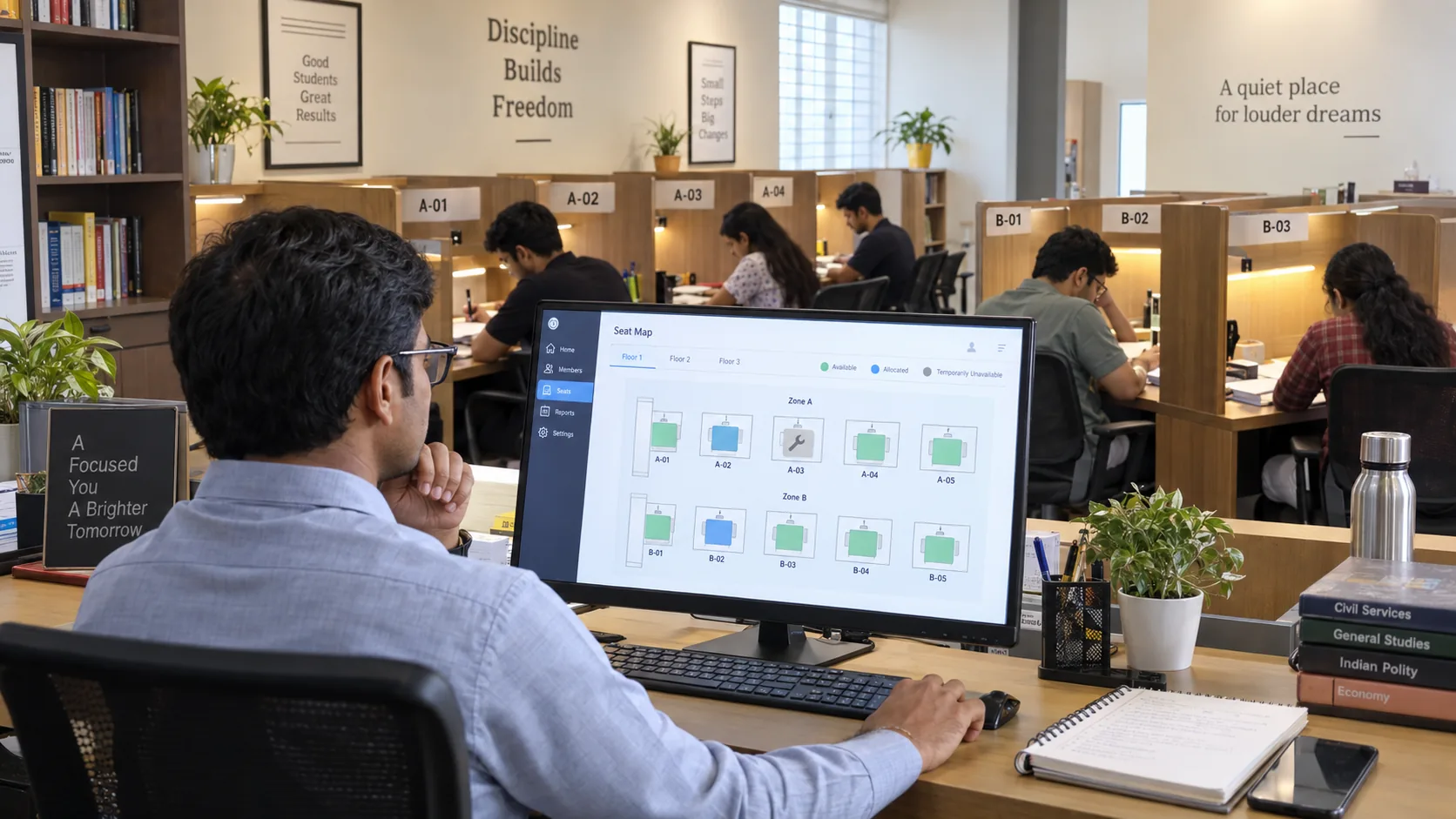
Allocation answers who has an entitlement in a context. Attendance records presence according to the attendance model. Occupancy is a metric derived from a defined numerator and denominator. An allocated seat can be empty, an available seat can be unallocated and a seat map can display state without becoming the source of truth.
Preserve seat history through change
Renumbering should update a display label while retaining the stable seat identity when the physical resource remains the same. Moving a seat between zones requires effective-date context and allocation impact review. Retiring a seat should preserve historical allocations. Avoid silently rewriting historical status or location facts.
Bulk creation, maps and member-facing availability
Bulk creation should provide preview, collision detection, scope validation and a reviewable result before records are written. A visual map is helpful for staff, but the seat master remains the source of truth. Member-facing views should expose only the availability information necessary for the workflow, without leaking private member data or internal notes.
Seat integrity and permissions
Protect seat creation, status changes, retirement, zone moves, renumbering and bulk operations with appropriate permissions and audit context. Validate branch/tenant boundaries, duplicate labels, allocation overlaps, invalid statuses and maintenance periods. Avoid sensitive or discriminatory seat-assignment logic; special-purpose attributes require careful, lawful implementation.
Where Libix fits
Libix — Library OS, from CodePex Technologies Private Limited
Libix is positioned for connected study-library operations around seats, zones, shifts, allocations, availability and attendance. This guide defines a reliable seat-master method; current screens, fields, map behavior, status rules and permissions must be verified against approved product documentation and the live implementation.
Seat-management SOP
Frequently asked questions
What is study-library seat management?
It is the controlled management of physical seat identity, location, attributes, operational status, availability and history that downstream allocations and metrics rely on.
Is a seat number the same as a seat ID?
No. A display label can change; a stable internal seat identity should preserve history across renumbering where the physical resource remains the same.
Should a broken seat be deleted?
Normally retain its identity and history, mark it unavailable according to the operational model, and retire it through a controlled lifecycle when appropriate.
Is an allocated seat always occupied?
No. Allocation describes entitlement; attendance or usage records describe recorded presence.
Can one physical seat be used in multiple shifts?
Yes, where the shift rules create separate non-overlapping opportunities. This does not create multiple physical seats.
What is the difference between physical and sellable capacity?
Physical capacity is what exists; operational capacity is usable under current conditions; sellable capacity is what the applicable plan and operating rules permit.