
Facilities and member service operations
How to Manage Lockers in a Study Library
Treat every locker as a controlled physical resource with identity, location, condition, assignment history and a clear release process.

Locker lifecycle
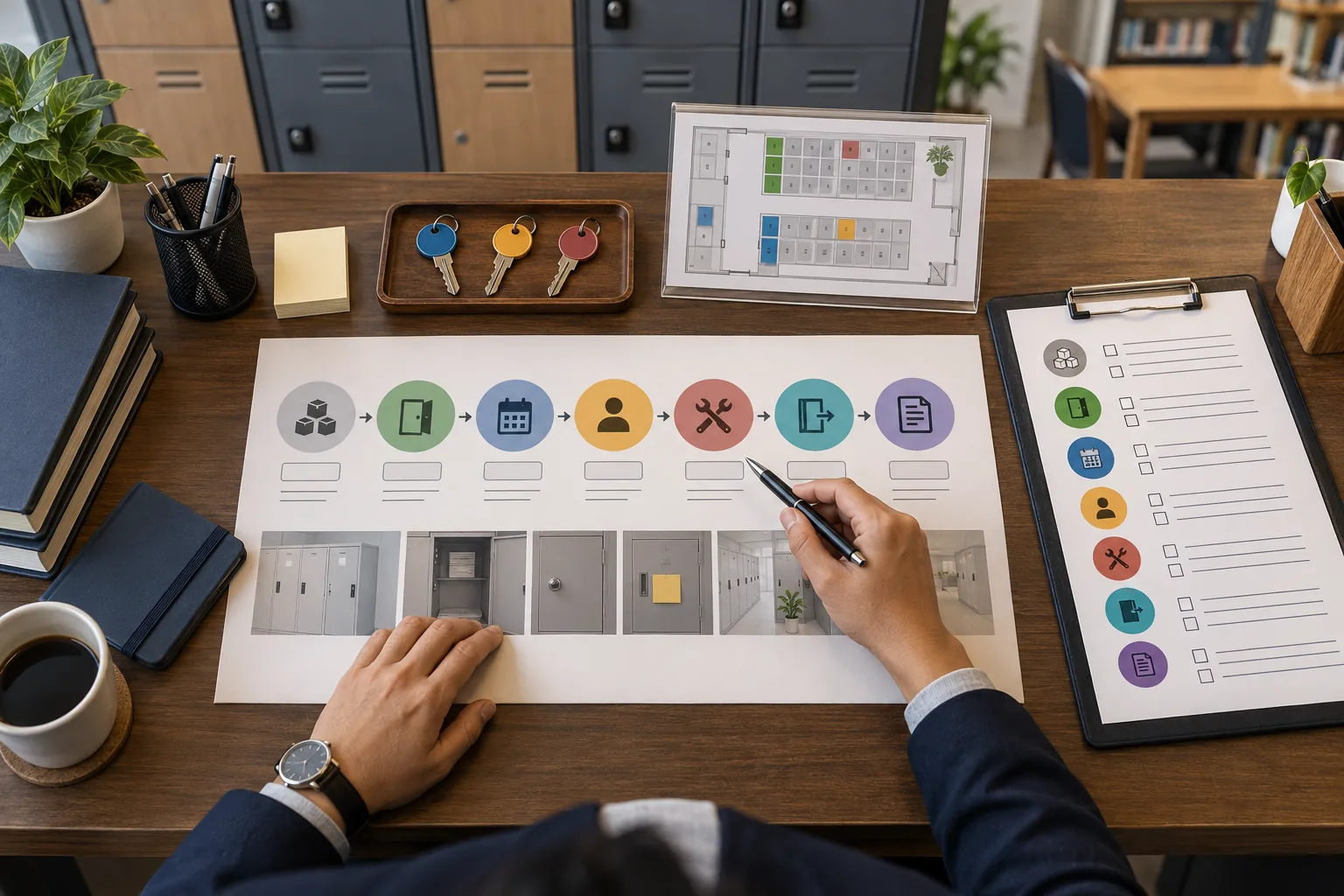
Create → identify → locate → set state → define eligibility → allocate → issue access → monitor → renew/change/expire → recover → inspect → settle applicable obligations → release → preserve history.
Quick answer
A locker is not just a number beside a member
A reliable locker process should answer: which locker is this, where is it, is it serviceable, is it available, who is entitled to use it, for what period, what access was issued, what obligations are pending, and what happened historically?
Governing principle
Treat every locker as a controlled physical resource with a stable identity, explicit operational state and time-bounded assignment history—not as an informal note attached to a member.
Build the inventory before allocation
Create the physical inventory independently of current assignments. Useful fields include an internal identity, display code, branch, floor or area, bank or section, type or size where relevant, location, operational state, notes and created/retired dates.
Locker ≠ locker number. A display label can change without changing the physical resource’s historical identity. Prevent duplicate display codes within the defined scope, and do not assume organization-wide uniqueness when codes are branch-scoped.
Identity
Stable internal reference plus a human-friendly display number or code.
Location
Organization, branch, area, locker bank and physical position where useful.
Condition
Serviceable, maintenance, blocked or retired state with reason and history.
Separate operational state from assignment state
A locker can exist but be unavailable. A vacant locker with a broken lock is not usable capacity. Keep physical condition separate from reservation/allocation state so staff do not mistake a stale flag for availability.
| State | Operational meaning |
|---|---|
| Serviceable | Physical resource can be considered for allocation if other conditions pass. |
| Reserved | Temporarily held under a defined reservation rule; it is not yet an active allocation. |
| Allocated | Assigned to a member for a defined period or arrangement. |
| Maintenance | Unavailable while inspection, repair or cleaning is pending. |
| Blocked | Not allocatable for a documented operational reason. |
| Retired | No new allocations; historical records remain preserved. |
Conceptually, availability means serviceable + not blocked + no conflicting active allocation + eligible under applicable rules. It should be derived from relevant conditions wherever practical.
Define eligibility and periods
Eligibility may depend on active membership, membership plan, branch, locker type, availability and configured policy. Do not hard-code a universal rule into the article or product assumptions. Make the rule explicit and apply it consistently at allocation time.
Reservation is not allocation
A reservation temporarily holds a locker. Define who can create it, how long it lasts and how it converts or expires.
Use time-bounded assignments
Preserve start, end or open-ended status, member, locker, reason, creator and renewal/change history.
Use a controlled allocation workflow
- STEP 1
Identify the member
- STEP 2
Verify branch and eligibility
- STEP 3
Select an appropriate locker
- STEP 4
Re-check availability at confirmation
- STEP 5
Define start and end conditions
- STEP 6
Record configured charge/deposit obligations
- STEP 7
Confirm the allocation
- STEP 8
Issue key or access credential separately
- STEP 9
Preserve the audit event
The final availability check matters when two staff members are working concurrently. Repeated submission should not create two allocations, and overlapping active allocations for one locker should be rejected by appropriate transactional or equivalent controls.
Manage keys and access separately
Issuing a key or credential is an event related to an allocation, not proof that the locker itself was allocated. Record issue, return, replacement, loss, damage and staff responsibility according to the actual product and policy model. Do not expose secrets broadly or put access codes into general inventory exports.
Lost key
Record the event, secure the locker, follow the documented replacement and applicable financial process.
Digital access
Verify whether digital locks or integrations are actually supported. Do not infer QR, RFID, biometric or remote unlock capability.
Keep locker charges and deposits distinct
A locker charge is not automatically a security deposit. A refundable deposit is not ordinary revenue by definition, and a deposit held is not the same as a completed refund. Use the canonical finance architecture for obligations, payment allocation, receipts, deductions, refunds and reversals.
Charge
Configured consideration for a locker-related service or period, if applicable.
Deposit
A separate obligation or held amount whose treatment must follow documented rules.
Settlement
Return, deduction, refund or reversal should preserve the original financial history.
This guide intentionally does not invent universal prices, deposits, lost-key charges, damage charges, grace periods or legal holding periods.
Keep membership and locker lifecycles separate
Membership expiry may change eligibility, but it does not prove that a locker is physically empty. A locker allocation can expire first, or the membership can expire first. Both cases need an explicit workflow: identify the event, notify according to policy, recover access where applicable, inspect lawfully, settle obligations and release only after physical clearance is established.
Expiry is not clearance
Digital status and physical reality can diverge. Keep “expired”, “pending release” and “cleared” distinct where the operating model needs them.
Release preserves history
Close the assignment or create a release event; do not delete the historical relationship.
Handle renewals, changes and releases as events
Renewal extends or creates a new effective period according to the configured model. A locker change should close or supersede the old allocation and create the new locker relationship, preserving who changed it, when, why and what happened to keys, charges and deposits.
Renew
Preserve old and new state, effective dates, actor and applicable obligations.
Change
Preserve old and new state, effective dates, actor and applicable obligations.
Release
Preserve old and new state, effective dates, actor and applicable obligations.
Reallocate
Preserve old and new state, effective dates, actor and applicable obligations.
Plan for exceptions without inventing legal rules
Belongings left behind
Follow your documented policy and applicable law. Do not promise automatic disposal after an invented number of days or assume ownership transfers to the library.
Damage or maintenance
Record inspection, condition, reason, responsible action and blocking status. A locker needing work should not remain allocatable.
Manual override
Require appropriate permission, reason and audit evidence. Do not silently rewrite history.
Branch transfer
Close the old branch allocation and create the new context. A branch transfer is not a silent edit to historical location.
Review operational reports
Useful reports distinguish inventory truth from assignment and financial truth. Do not treat missing as zero, expired as available or current state as historical state.
Common locker-management mistakes
- Using the display number as the only identity
- One boolean for condition and allocation
- Overwriting the member instead of preserving history
- Allocating without a final availability check
- Treating expiry as physical clearance
- Separate inventory, assignment and access events
- Block maintenance and damaged resources
- Make periods and eligibility explicit
- Keep charges and deposits distinct
- Inspect before release and reallocation
Where Libix fits
Verify current Libix locker capabilities
Libix — Library OS, developed by CodePex Technologies Private Limited, should be evaluated against the actual locker workflows your study library needs. Verify the current implementation for locker identity, states, allocation history, key/access fields, charges, deposits, membership linkage, notifications, maintenance, branches, permissions, audit and reports.
This page is useful without assuming a product capability. For connected topics, see seat management, membership expiry and payment records.
Locker operations checklist
Frequently asked questions
Why should lockers be managed as physical resources?
Each locker has identity, location, condition, availability, assignments, access and history. A number written beside a member name cannot reliably represent that lifecycle.
Is a vacant locker automatically available?
No. A vacant locker may be blocked, damaged, under maintenance or otherwise ineligible. Availability should consider serviceability and conflicting allocations.
Is locker allocation the same as membership?
No. Membership and locker allocation are separate lifecycles. A membership change may affect eligibility, but it should not silently rewrite locker history.
Is a locker charge the same as a security deposit?
No. A charge and a refundable deposit are different financial concepts. The actual treatment must follow the configured and documented finance rules.
Does membership expiry prove that a locker is empty?
No. Expiry is a digital entitlement event; physical clearance requires a documented operational process and, where applicable, inspection evidence.
What should happen to belongings left behind?
Follow the study library’s documented policy and applicable law. Do not invent a universal disposal period or automatically transfer ownership of belongings.
Can Libix manage smart locks or biometric access?
Do not assume such capabilities. Verify current Libix locker, access, integration and reporting capabilities from authoritative product documentation.