Libix Logo· Library OS
  • FAQs
  • Features
  • Pricing
  • Solutions
  • About Us
  • Libix Learning
  • Libix Knowledge
  • Home->Solutions->Study Library Management App

    For phone-friendly daily management

    Study Library Management App for Real Daily Operations

    Check occupancy, dues and member context from a phone-sized Libix browser workspace while you are away from reception. The useful question is not whether every screen fits on a phone, but which supported daily tasks your role can complete clearly.

    See the complete solution
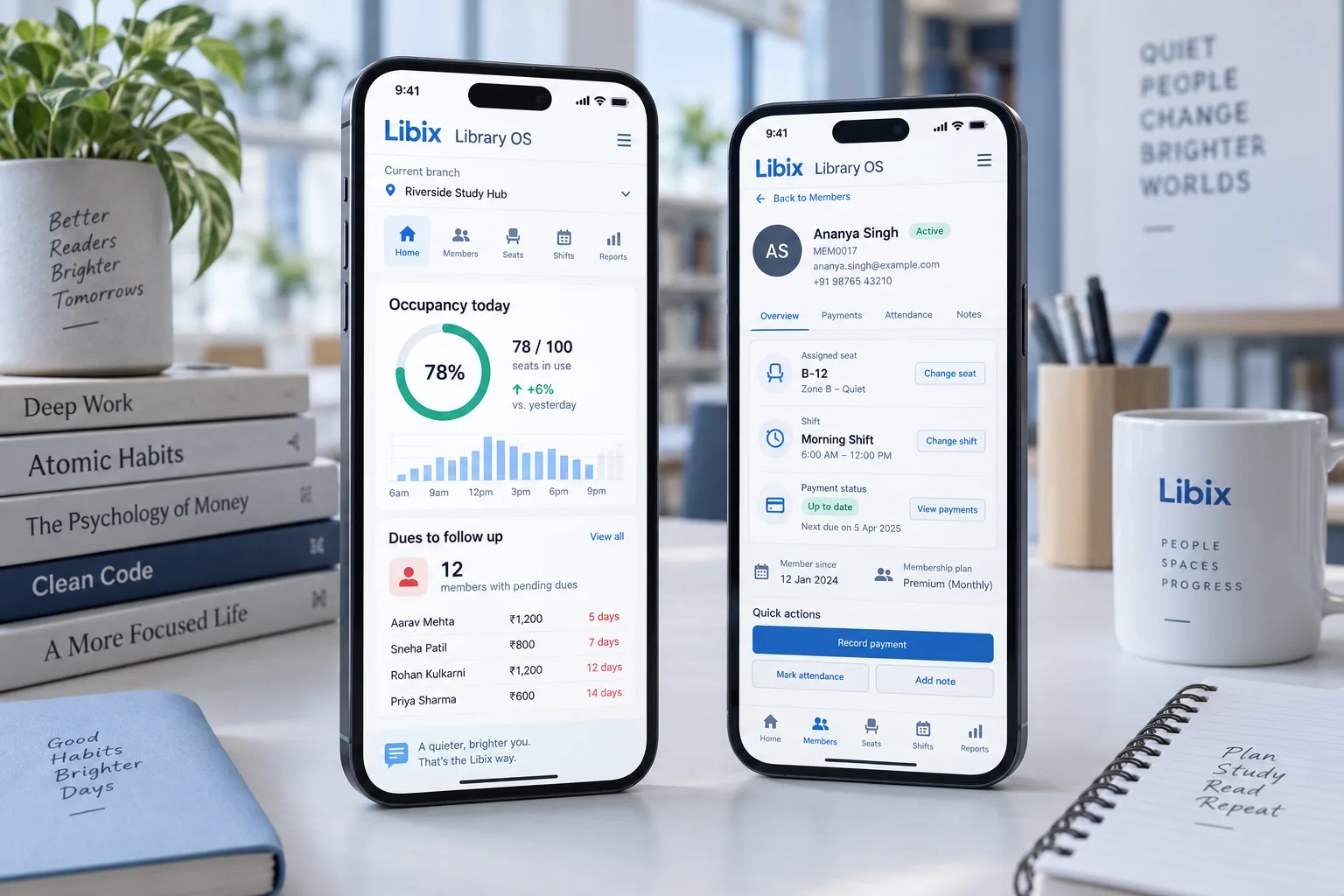
    Libix Library OS phone-first workspace showing occupancy and member records

    The away-from-reception moment

    An owner checks occupancy and dues on a phone.

    The owner wants a quick view while staff continue the local work. A useful phone workflow shows the active branch, current occupancy, members needing dues follow-up and enough context to decide whether the next action belongs to the owner or reception.

    The operating boundary: phone access should make a small daily question easier to answer without hiding role, connection or member context.

    Focused mobile view

    See the owner question before deciding who follows up.

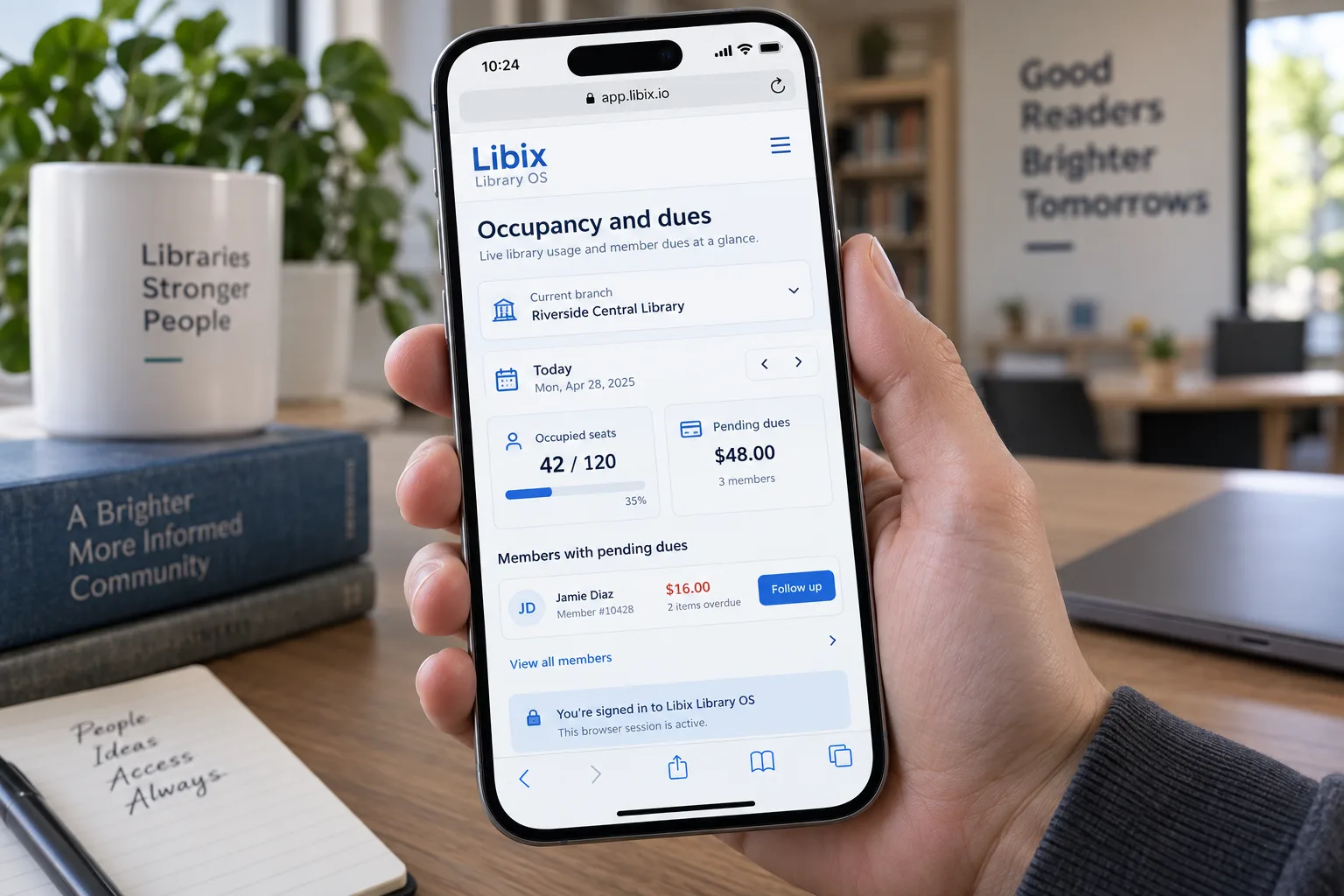
    A phone-sized browser view can put branch, date, occupied seats, pending dues and the next follow-up in one compact frame. Confirm whether your account may act from this view or should hand the task back to reception.

    Libix Library OS phone-first occupancy and dues view with current branch and follow-up action

    How the work fits together

    Make mobile work specific, supported and easy to hand off.

    The workflow starts with the device and role, narrows to the question and ends with the supported record or local follow-up. It does not assume a native app or that every desktop action belongs on a phone.

    01

    Open the phone-friendly workspace

    Use the supported browser route and signed-in account on the device your owner or staff member carries.

    ->

    02

    Choose the operating question

    Start with occupancy, dues, member, seat or shift context rather than a generic dashboard promise.

    ->

    03

    Review role and record

    Confirm the active branch, user permission and current member-facing state before taking action.

    ->

    04

    Hand off or follow up

    Record the supported result and send the next local task to the person responsible at reception.

    Capabilities by question

    Evaluate the mobile task, not the badge.

    A responsive browser view, a released native app and an offline workflow are different claims. Verify the one your team actually needs.

    01

    What works in responsive mobile web?

    Phone access is most useful when the task fits a compact screen and the current record remains understandable.

    Evaluation view: Test occupancy, dues, member lookup and supported seat or shift context in the responsive browser experience.

    02

    Is a native app available?

    A phone-shaped interface does not by itself prove an Android or iOS release.

    Evaluation view: Confirm current native-app availability directly; this page makes no store, install or offline claim.

    03

    Which mobile workflow is supported?

    The owner needs a small set of repeatable actions, not a vague promise that everything works on a phone.

    Evaluation view: Bring the exact follow-up, member, seat, attendance or payment task and verify the resulting record and permission boundary.

    Indian study-library owner checking a phone at reception while members continue studying

    Product-in-use walkthrough

    One phone check, one accountable next step.

    A practical phone-friendly sequence for a normal working day:

    Owner view

    The owner checks the active branch and today’s occupancy from a phone-sized browser session.

    Dues context

    A pending member payment appears with enough context to decide whether the next follow-up belongs to the owner or reception.

    Local action

    Staff continue the member-facing update in the supported workflow and keep the current record aligned.

    Fit and decision criteria

    Choose phone access that matches the real task.

    Task clarity

    Can the owner name the occupancy, dues, member, seat or shift question they need to answer from a phone?

    Role clarity

    Can the user see which actions are allowed on the phone and which should return to reception?

    Device reality

    Has the team tested the actual browser, connection and screen size used during daily operations?

    Connected Libix modules

    A phone view is useful because the daily records are connected.

    Occupancy depends on seats and shifts, dues depend on memberships and fees, and follow-up may need attendance or staff context. Review the study-library management solution, seat management, fee management or return to the Solutions hub.

    Questions for evaluation

    Ask what the phone workflow can honestly support.

    Is there a native Android or iOS app?+

    This page does not claim a released native Android or iOS app, and no store badge is shown. Ask the Libix team which phone and browser workflows are currently supported for your staff.

    What can I manage from a phone?+

    A phone-friendly browser workflow can be evaluated for supported tasks such as checking occupancy, reviewing dues, finding a member and viewing seat or shift context. Confirm which actions your role may view or change.

    Can I check occupancy away from reception?+

    The owner scenario is a phone-sized browser view of occupancy and dues while away from reception. Confirm the current access, connection and branch-scope behavior before relying on it as an operating routine.

    Can staff update a member from a phone?+

    That depends on the supported mobile workflow and the signed-in role. Ask for a live demonstration of the exact member, seat, attendance or payment action your staff needs.

    Does phone access work without internet?+

    Do not assume offline support. A browser session needs a connection to reach the current Libix workspace and records; confirm any recovery or fallback guidance with the product team.

    How should I test the mobile workflow?+

    Use the phone or browser your team will actually carry. Test one occupancy question, one member lookup, one dues follow-up and one permission boundary during a demo.

    See the mobile workflow

    Bring one phone-sized task and one role question to a Libix demo.

    Test occupancy, dues, member lookup, device behavior, connection boundaries and the supported actions your team needs on the move.

    Review pricing

    CodePex Technologies Private Limited - Verify current capabilities and terms with the product team.

    Libix is the simplest library management software for modern libraries in India. Built to help library owners focus on their members instead of spreadsheets.

    CIN : U93000UP2017PTC091269
    URN : UDYAM-UP-50-0143487
    Privacy Policy·Terms & Conditions·Refund Policy·Trial Policy·Disclaimer·

    Libix is a proud product of CodePex Technologies Private Limited.
    © 2026 Libix · All rights reserved.