
Where does the aspirant sit?
A centre needs seat context that remains practical across different study routines and access windows.
Evaluation view: Review the supported seat allocation and status, then confirm the member-facing result.
For aspirant study spaces
Manage the quiet study seats, shifts, attendance and member plans that help adults prepare for UPSC, SSC, banking and railway examinations. Libix keeps the centre’s daily operations in view without turning a paid study space into a course, score or coaching ERP.
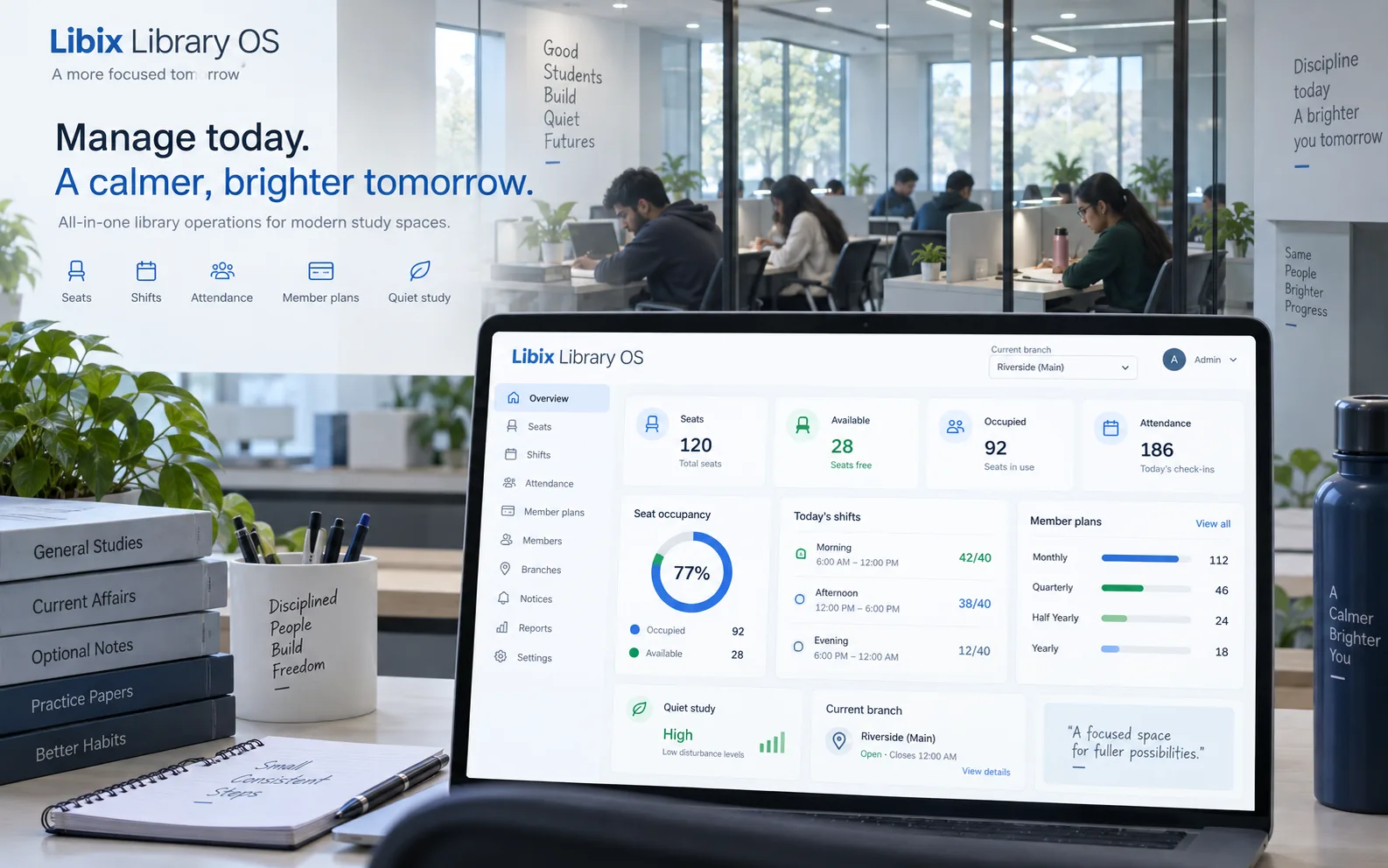
The aspirant-centre moment
A centre may welcome an early-morning UPSC learner, an afternoon SSC aspirant and an evening banking or railway candidate. Staff need to allocate the right seat and shift, record attendance and keep the member plan clear without claiming to manage the learner’s coaching, score or exam result.
Focused study-space allocation
The decisive record is about access to the study space: who the member is, which plan applies, where they sit, when they arrive and what the staff member should confirm next. It deliberately leaves exam coaching and performance tracking outside this workflow.
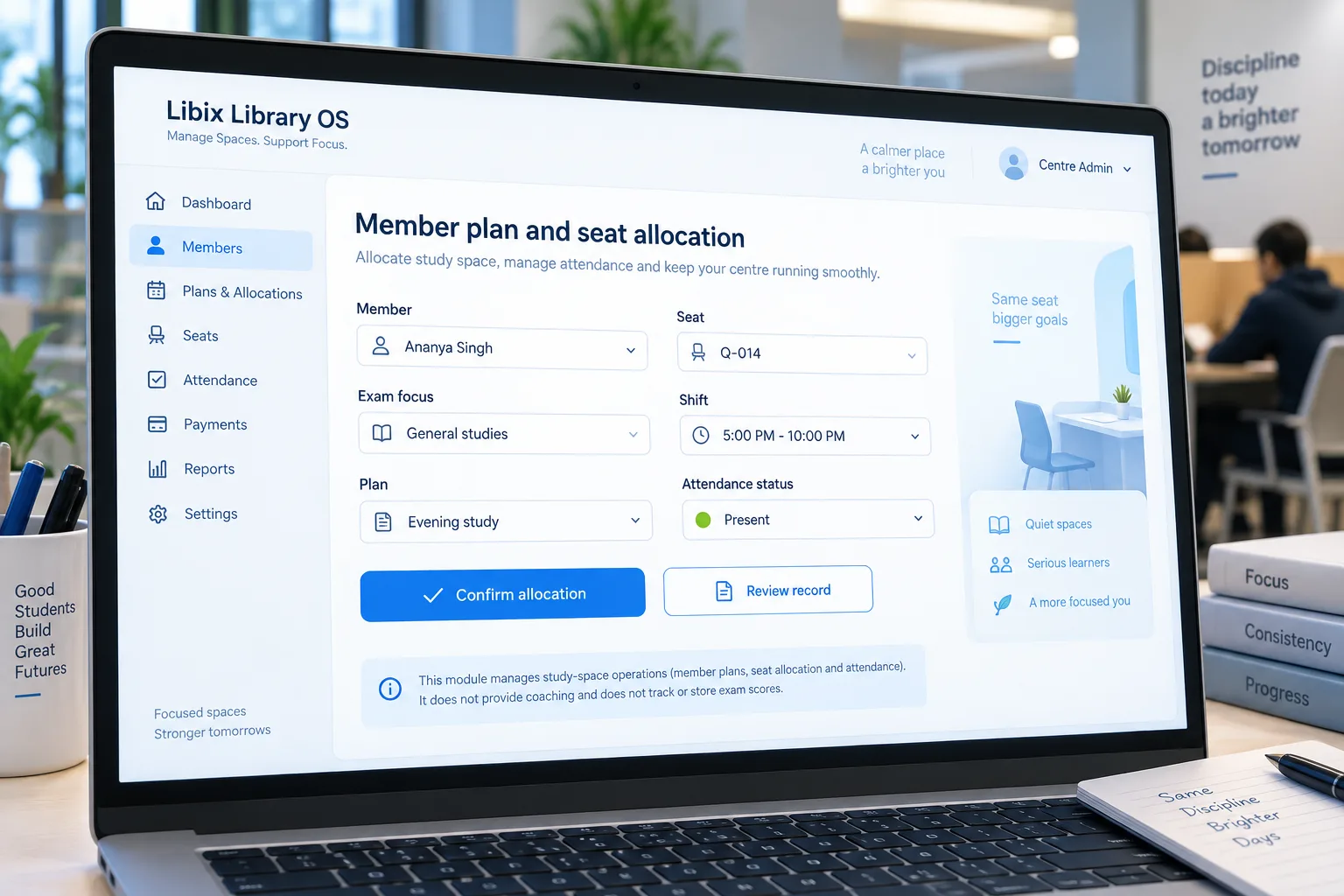
How the work fits together
A useful centre workflow connects access records and keeps its boundary clear: seats, shifts, attendance and plans are operational facts; coaching, scores and outcomes belong elsewhere.
01
Define the supported seats, shifts, member plans and any quiet-space rules your centre actually uses.
02
Review the aspirant’s plan, seat, shift and current status before confirming access.
03
Keep study-space presence and daily usage separate from coaching, scores or exam outcomes.
04
Use the supported report or staff view to answer the operational question that follows.
Capabilities by question
The page focuses on study-space records. Quiet zones and other specialized setups remain configuration questions until the current implementation is verified.
A centre needs seat context that remains practical across different study routines and access windows.
Evaluation view: Review the supported seat allocation and status, then confirm the member-facing result.
Morning, afternoon and evening routines can affect access, staffing and availability.
Evaluation view: Inspect the supported shift setup, seat capacity context and member plan before changing a window.
Attendance helps staff understand daily study-space use without pretending to measure exam preparation.
Evaluation view: Record and review supported attendance states alongside the member and access context.
An aspirant’s access depends on the member plan, seat and shift relationship your centre has defined.
Evaluation view: Open the supported member-plan record and verify the next payment or access decision.
Quiet-zone organization may help the facility’s service model, but it is not a universal promise.
Evaluation view: Confirm whether the current seat or zone setup supports your quiet-space rules before presenting it as live.

Product-in-use walkthrough
A practical centre workflow for a busy shift:
Member plan
Ananya Singh joins an Evening study plan for a quiet paid study window; no coaching or score record is required.
Seat and shift
Staff review seat Q-014, the 5:00 PM–10:00 PM shift and the access details that the member needs.
Attendance follow-up
The centre records supported attendance and uses the member or report view for the next operational follow-up.
Fit and decision criteria
Can staff explain the seat, shift and access experience an aspirant is paying for?
Can the team review presence and follow-up without turning study-space records into exam performance data?
Can the owner clearly separate Libix study-space work from any coaching, course or assessment software?
Connected Libix modules
Seats and shifts define access, memberships and fees explain the member relationship, attendance shows daily use, staff roles guide responsibility and reporting helps the owner review operations. See the study-library management solution, seat management, attendance or return to the Solutions hub.
Questions for evaluation
Libix can be evaluated for the study-space records that matter across aspirant routines, including seats, shifts, attendance and member plans. It does not need to classify exam preparation or promise an exam outcome; confirm the supported setup for your centre.
This solution page is for paid study-space operations, not coaching delivery. It does not claim course management, teaching, test scores, rank tracking or exam preparation features. Use a coaching system separately if those functions are required.
Shifts can be reviewed as operating windows with seat availability, member plans and attendance context. Confirm the supported shift configuration and the staff permissions that apply before publishing a new routine.
Attendance is an operational record for the study space. It can be evaluated alongside seats, shifts and member plans without turning it into a score, rank or coaching-progress system.
Quiet-zone organization depends on the supported seat or facility configuration. Treat it as a setup question for the demo rather than assuming every zone model is available by default.
Bring one aspirant seat allocation, one shift change, one attendance question and one member-plan case. Ask the team to show the operational record without introducing coaching or score-tracking claims.
See the centre workflow
Walk through seats, shifts, attendance, member plans, staff work and the boundary between paid study-space operations and coaching software.
CodePex Technologies Private Limited - Verify current capabilities and terms with the product team.